![Image_20240521_115151.png]](https://help.shootsta.com/hs-fs/hubfs/Image_20240521_115151.png?height=37&name=Image_20240521_115151.png)
Captions are now self-serve in Shootsta. You can generate and edit closed captions (SRT) directly inside the platform—no requests, no waiting, no extra steps.
This feature is available for:
- Shootsta Pro Videos
- Animations
- Podcasts
- Webinars
What changed?
Now you can generate, edit, and publish closed captions on any video in your workspace on your own. Same Pro workflow.
Important limitations (read this first)
Before you start, here’s what’s supported:
- ✅ Closed captions only (SRT files)
- ✅ English audio → English captions only
- ❌ No auto-generated burnt-in (open) captions
How do I add captions to a video in Shootsta?
Step 1: Open your video
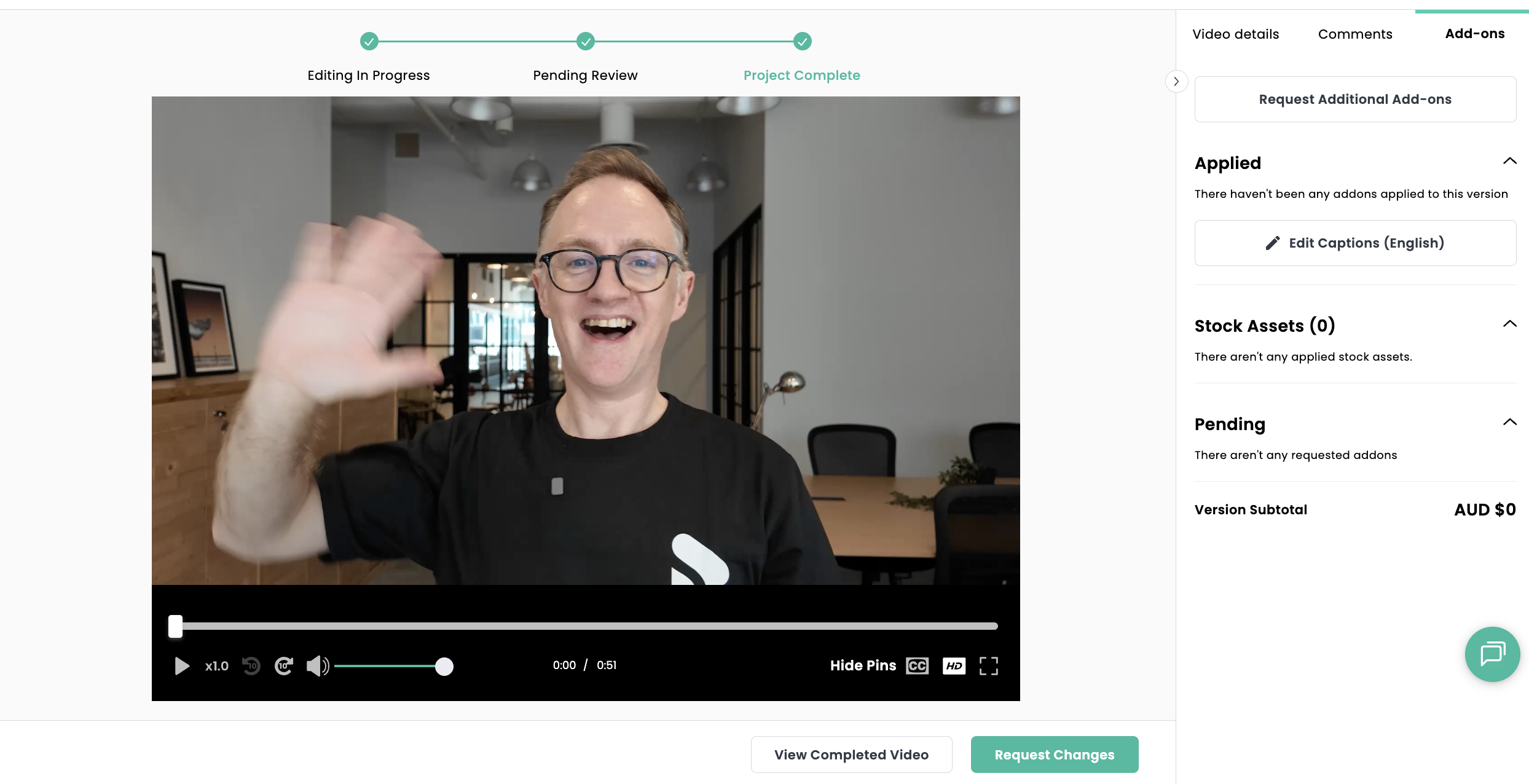
Go to your completed video in Shootsta Pro
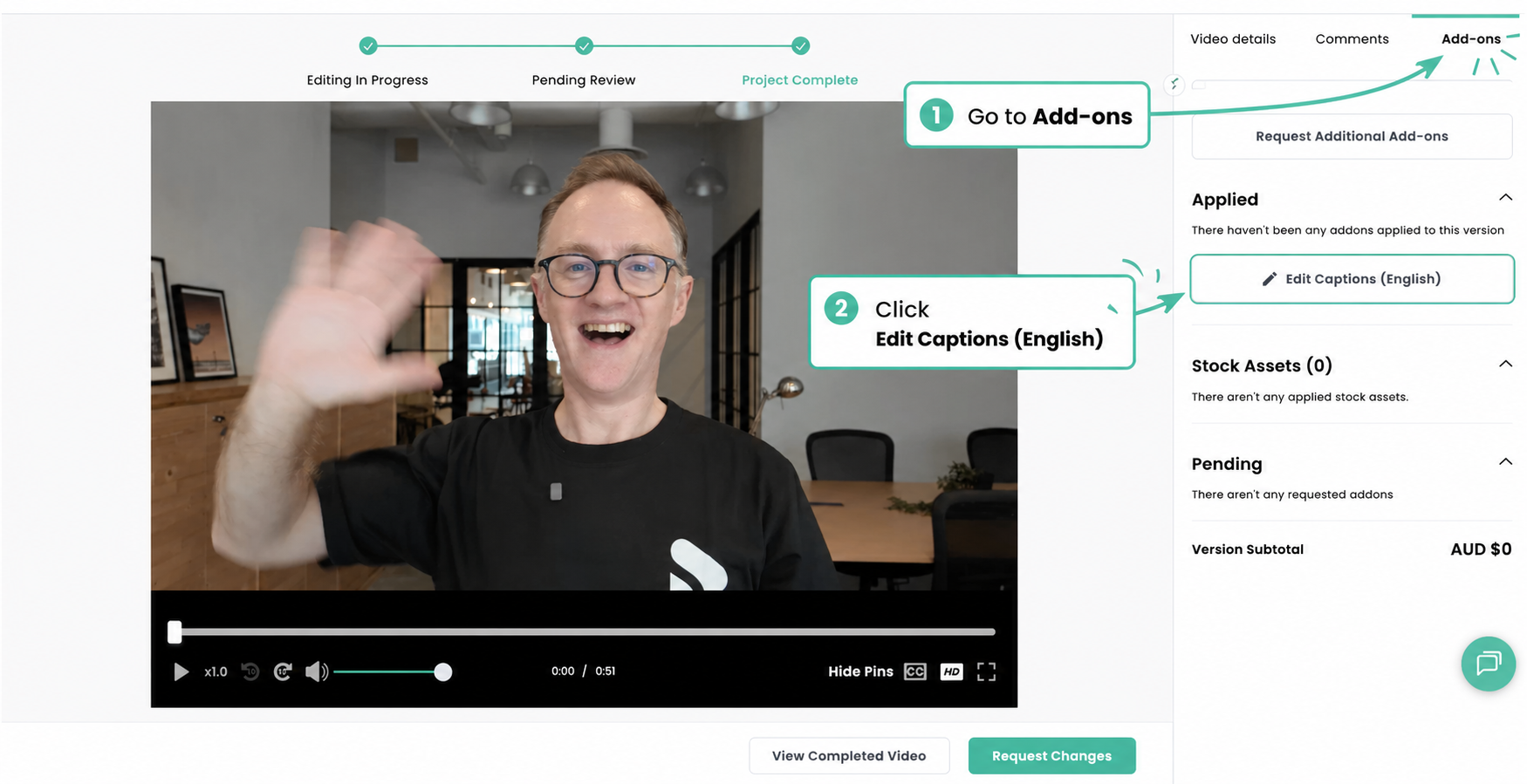
Step 2: Go to Add-ons and click Generate Captions
- Open the Add-ons tab (right-hand panel)
- Click Edit Captions (English)
- Captions will auto-generate from your video’s audio
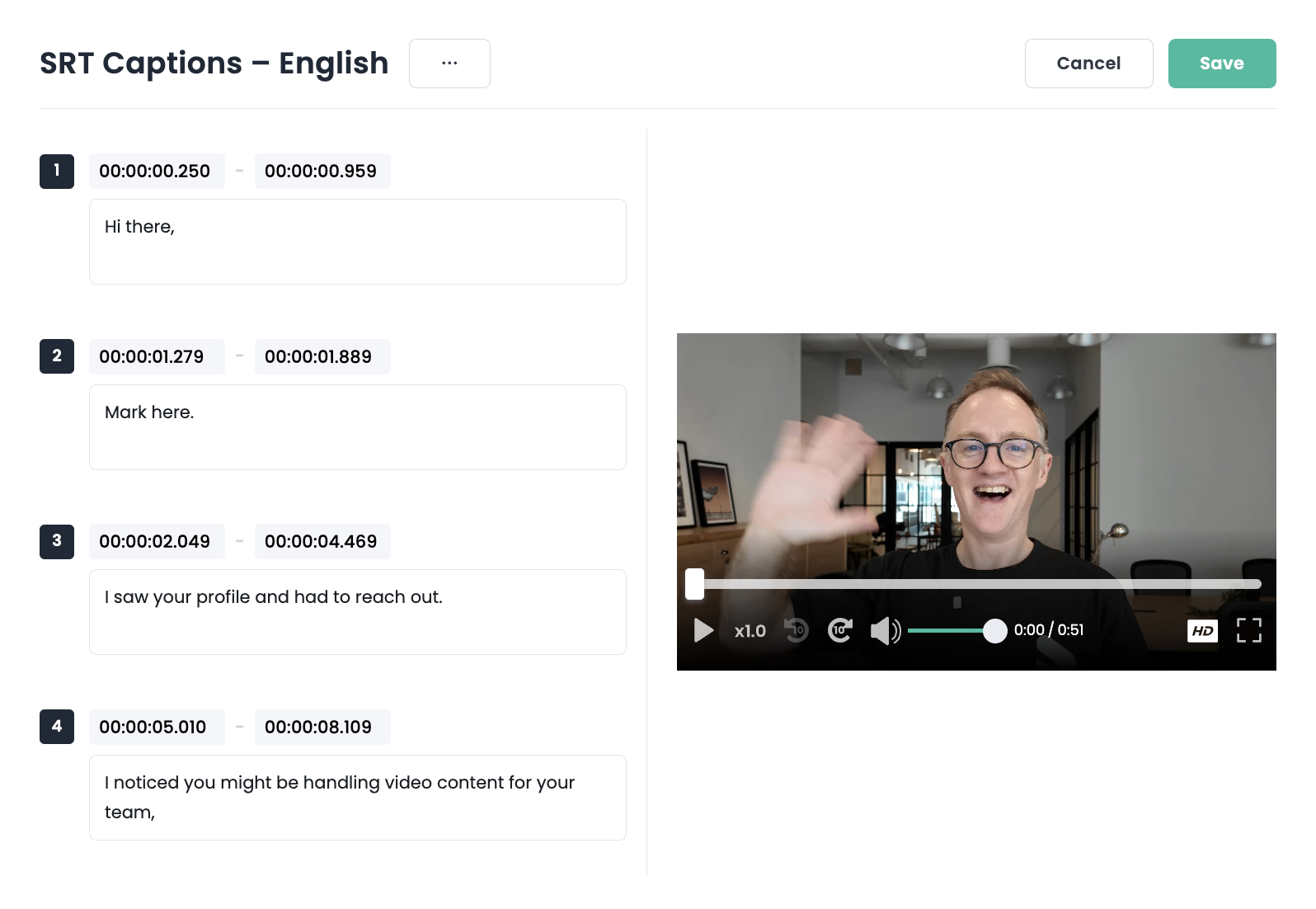
Step 3: Review and edit
The caption editor lets you:
- Edit text
- Adjust timing (start/end timestamps)
- Fix errors
Best practice:
- Check brand terms and names
- Keep lines short and readable (especially mobile)
- Ensure timing matches speech
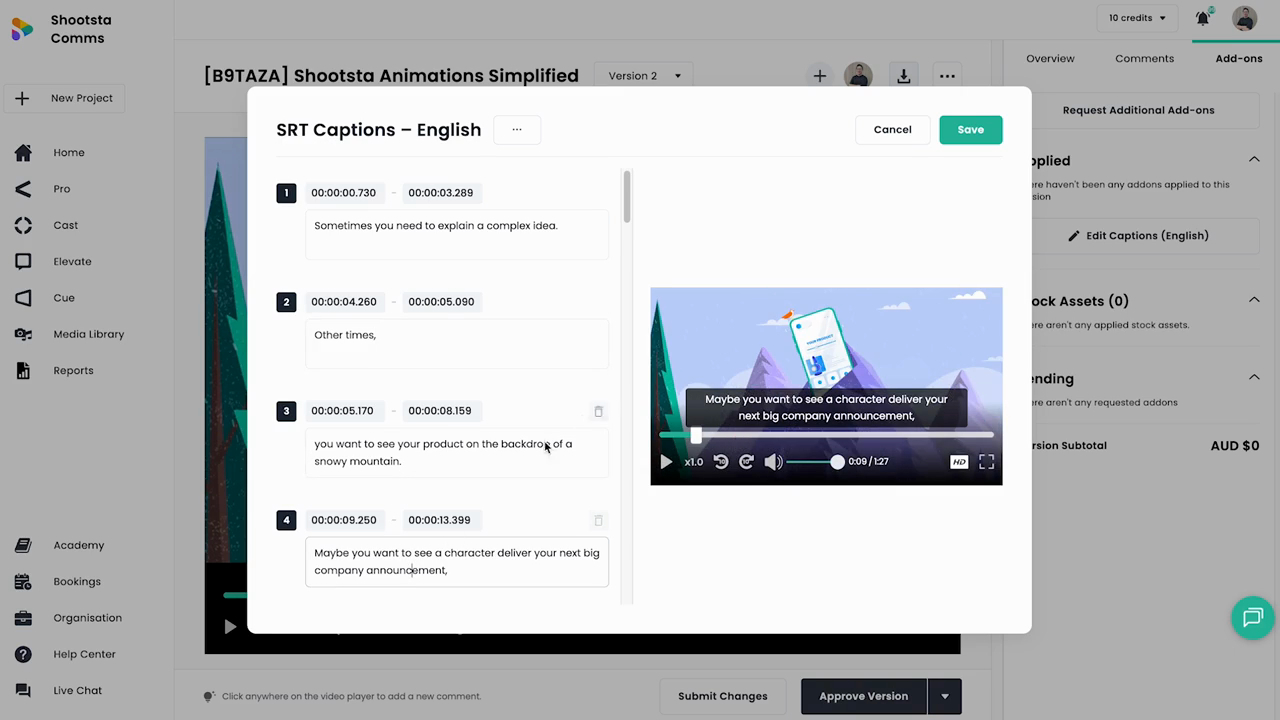
Step 4: Click Save
Click Save to attach captions to your video.
Step 5: Download
You can download:
- SRT file (closed captions) → upload to platforms like LinkedIn, YouTube, LMS, etc.
Note: Burnt-in captions are not auto-generated in this workflow.
Why does this matter?
- ~80% of social video is watched without sound
- Improves accessibility and comprehension
- Essential for global and non-native English audiences
FAQs
What if my project is already complete?
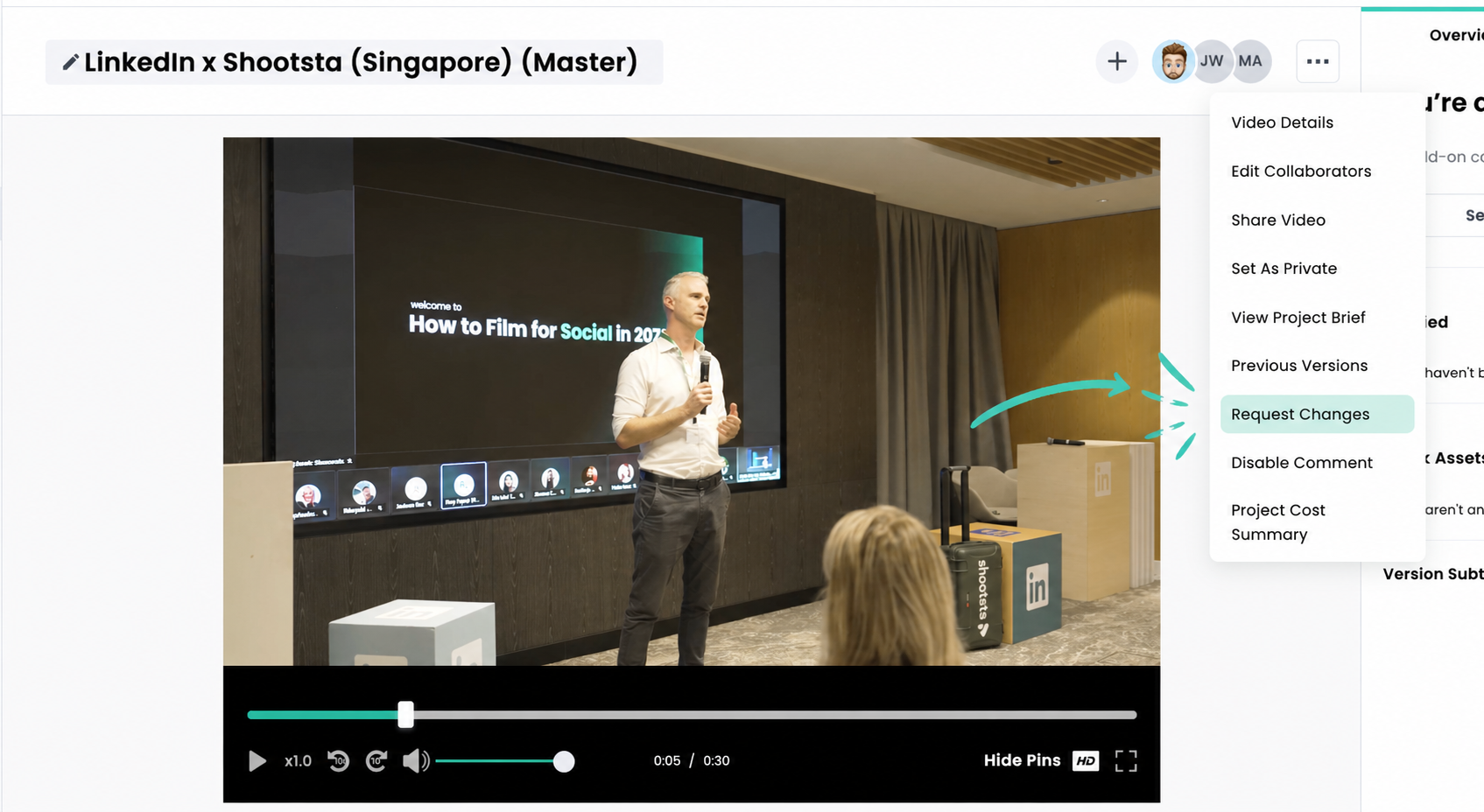
Click the three-dot menu → select Request Changes to reopen the project.
This will restore access to the Add-ons tab.
What languages are supported?
Currently:
- English audio → English captions only
Can I edit caption timing?
Yes. You can adjust start and end times for each caption block.
Do I need to request Closed Captions?
English Closed Captions (SRT) is self-serve in Shootsta Pro. Foreign Language Captions and English Burnt-In Captions still require an Add-On Request.
Are these open captions or closed captions?
- Captions are closed captions (SRT files)
- Open (burnt-in) captions are not auto-generated
How accurate is the auto-generation?
Auto-generation is typically ~95% accurate with clear audio.
You should always review for:
- Names and brand terms
- Industry jargon
- Timing accuracy
Got Questions or Need Help? Message us via LIve Chat! We'd love to help